Showing posts with label Web development. Show all posts

Tuesday, May 29, 2012

Create Web Elements on the Fly

1

Today we must be fast in our work in designing, slicing, developing. Gladly, some bright persons created a builders for us. Here is a list of useful builders that you will need on your way working in sites.
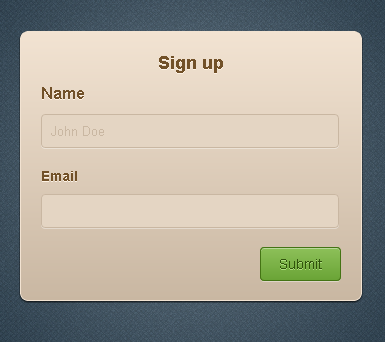
Form Builder

UI Parade developed a tool to create form elements on the fly. This includes to customize the color, borders, border radius, highlights, shadows. For the button, you can change the button settings such as it's hover and pressed. You can change it's properties as well.
form builder


Link

Button Builder

Creating button very fast? Here is my suggestion, use this.
button builder


Link

Ribbon Builder

Can you imagine that? Ribbon builder, very impressive. try it. I recommend you to use it. No more tiring days of designing from Photoshop to coding in XHTML and CSS.
ribbon builder


Link

Some other useful Generators

CSS3 Generator
Gradient Generator
If you know some useful Generators or builders, please do share and I will add that up in this post. Happy Coding!

Read more

Monday, April 23, 2012

Learn How to Use Jquery AJAX from Scratch

0

In this tutorial I will teach you how jQuery AJAX from scratch.
What is AJAX anyway?
AJAX - Asynchronous JavaScript and XML.

What is it's use?
We can send data without refreshing the page, it means that your site will faster and responsive that is because the page load is decreased.

We will use AJAX with the help of Jquery, because using only the native javascript is too long.

First you have to do is to download the jquery library from http://jquery.com/, then include it your page file. In my case I used the online library.

Here is the scenario, The client wants you to create a form where it doesn't change or refresh or reload the page then it will give a notification that the saving is a success. We will now create the form. We will not use the form tag.
You can name this whatever you want, whether this is a php or html file. I prefer you must use firebug, it's a mozilla ff's extension. It is mostly used by web developers. Next we will add the jquery

Here's the explanation: We set our jquery script inside the document ready function, it means the code will execute the page is finished rendering. On the third line, it says when the id #save is clicked the following events will be triggered that consists of giving a variable to each value that will be used in passing the data to another page. Now, the Jquery AJAX, inside it we have what the type of action we will be using in passing the value. we used here is POST. Then we have data, we have to put the variable inside the variable, as you can see firstname is the variable used for the AJAX then the first_name that is value from the form. Then the third parameter is the url, it where we want to pass the data. Fourth parameter is the success which is the result from the given url. Let's say we have echoed it that page a success, then that will be returned from that page to this page. It will be clearer in the next panel. Then create a seperate php page, include the database connection. You put all the posted data in variable if you want to for a cleaner look of script. You will also put here your sql script to save the data.


Conclusion: Easy isn't it? That is how powerful and efficient to use the Jquery AJAX. On our next tutorial, we will using forms. Sounds interesting?Yeah, I know.. Now your mind is now open to more possibilities.

Read more

Sunday, February 5, 2012

Online Membership and Billing System

1

Online Membership and Billing System


Features:

  • Can print PDF for reports and receipt
  • jQuery Powered Graphs
  • Saves, Updates and Delete Through jQuery AJAX
  • HTML Editor
  • Paypal ready
Download here

Read more

Tuesday, January 24, 2012

Easy PayPal Integration Using PHP

0

Paypal Integration Using PHP

Many sites had shared their code but it didn't work. I guarantee to you that this will work if used correctly. Tthis code that will integrate your site to Paypal API.This is very handy for developers that will uses E-commerce site.

Things to consider before integrating

  • You must have a paypal account or sandbox
  • Check your links.
  • PHP Syntax

Enjoy! Questions are welcome... =)

download link: Download
zip password:
paypal123

Read more

Monday, October 24, 2011

Web Design and Development

0

Read more

 
Design by ThemeShift | Bloggerized by Lasantha - Free Blogger Templates | Best Web Hosting